Catch website issues before every update goes live.
Stop checking your website page by page. Sitepager checks visual changes, broken links, SEO gaps and performance in one run.
No code. No plugins. Works with any website.
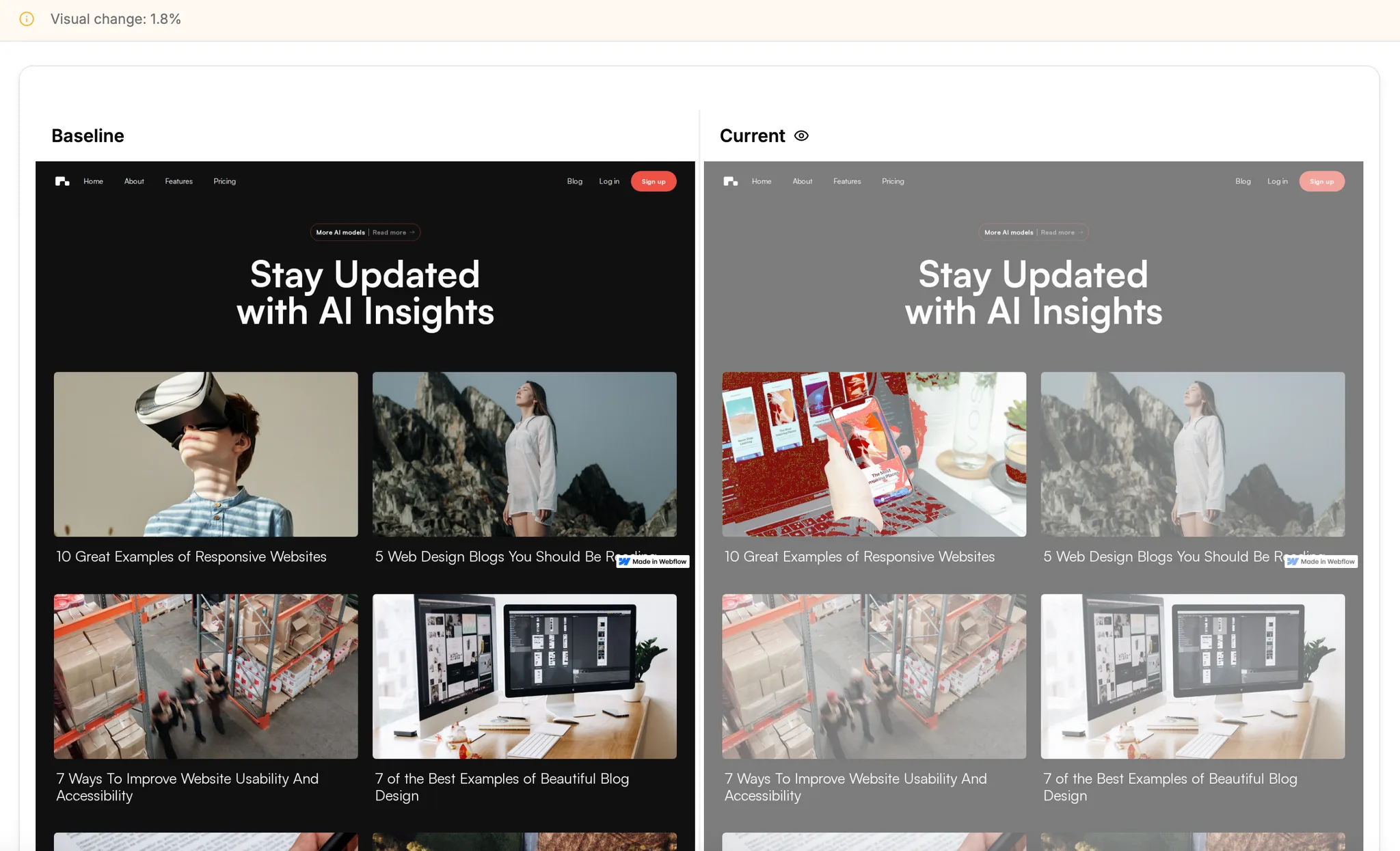
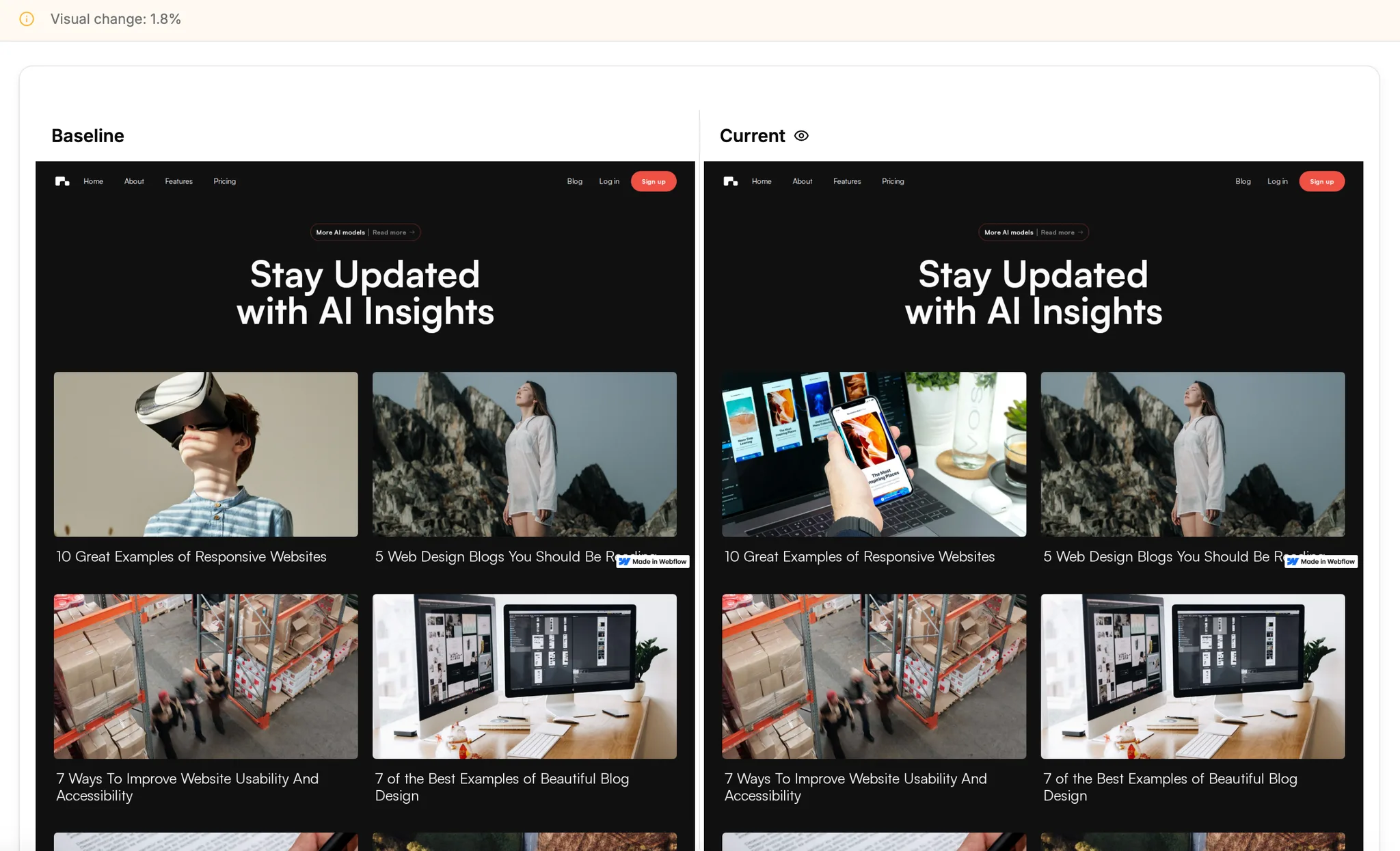
Compare versions. See what changed between them.
Built for marketing websites
Trusted by marketing teams whose website drives growth.
Catch it before you publish.
Across marketing websites.
Broken links, SEO gaps, and missing pages.
Works with any website. No-code, custom or hybrid.
Know what changed on your website. Every update, every time.
Capture your baseline
Enter your URL. Sitepager captures your site so you can see what changes after your next update.
Make your changes
Your team, agency, or AI agent makes the change. Keep working the way you do.
Run Sitepager again
Set it up once to run automatically, or run it yourself after every update. Get notified by email or Slack (early access) when results are ready.
Review what changed
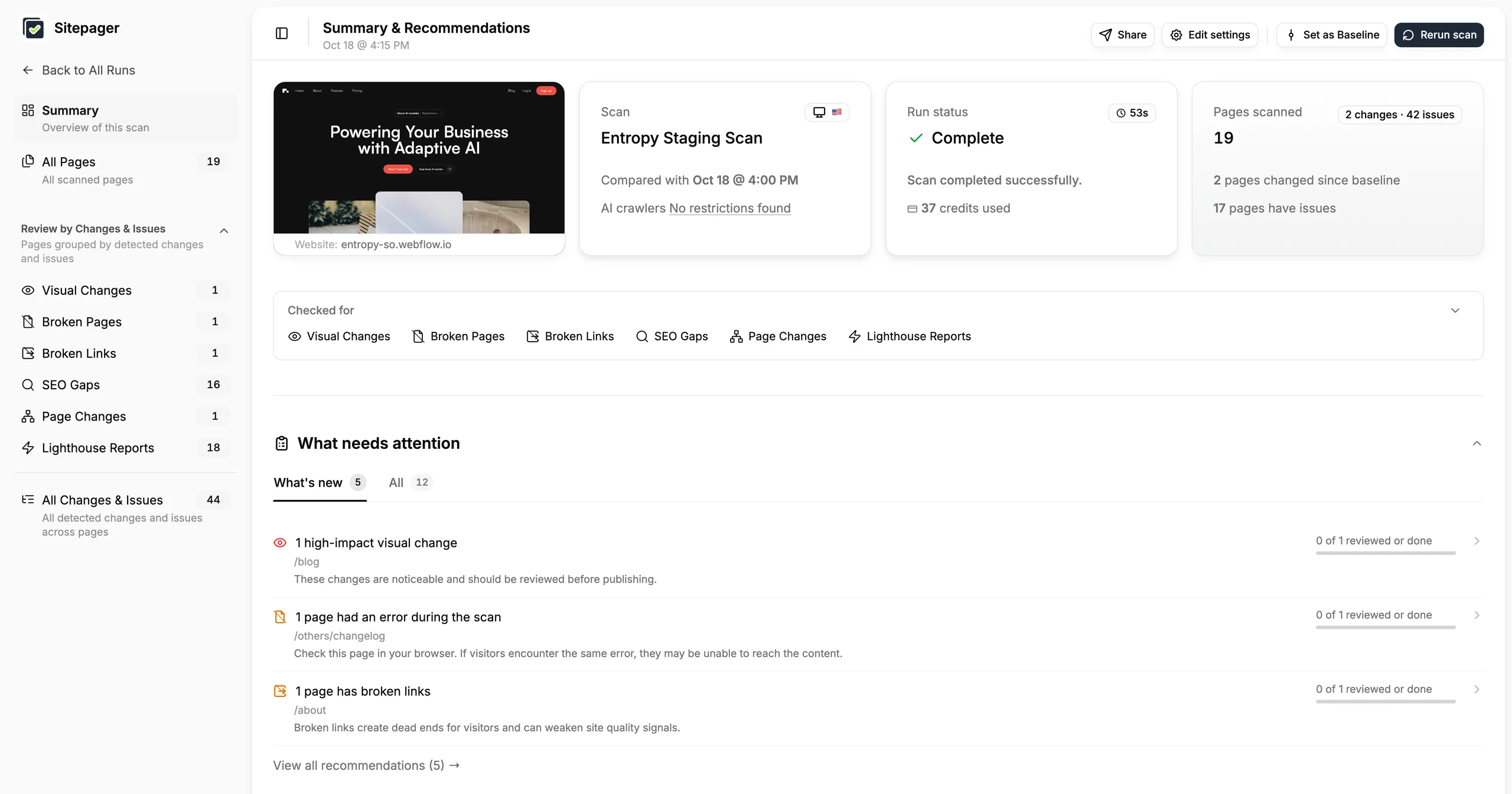
See what's new since your baseline. Review the changes and new issues that need attention.
Configure the essential settings for your website scan
Scan Name *- Website URL
- entropy-so.webflow.io
- Device
- Desktop
- Visual baseline & change tracking
- Broken internal pages & links
- Page changes
- SEO gaps



- 2 high-impact visual changes /blog•/pricing
- 1 page is broken /others/changelog
- 1 new page detected /contact-us
Everything your team checks, in one place.
Find what manual spot checks miss, across your whole site.
Visual change detection
See what changed across your pages since your last update, down to hover and click states.
Staging vs production comparison
Compare staging and production side by side to review what changed before launch.
Broken links and page checks
Catch broken internal and external links, and error pages, before visitors reach them.
New, removed, and missing pages
See when pages are added, removed, or missing from your sitemap.
SEO and Lighthouse reports
Check page titles, meta descriptions, headings, and image alt text, with Lighthouse reports for performance, accessibility, SEO, and best practices.
Regional and language checks
Review localized pages and region-specific versions of your site.
Using AI to update your site?
Bring Sitepager into the chat.
Connect Sitepager to Claude, Cursor, Windsurf, or any MCP assistant, and review what changed without leaving the chat.
- Review changes and issues after each update.
- Fix them with your assistant, in the same chat.
- Verify fixes by re-running the Sitepager scan.
Sitepager connectedFix the broken link from the latest Sitepager scan of staging.
- Reading Sitepager results… Read Sitepager results
Found it. One broken page:
/others/changelogreturned 404.
Linked from/about· “More AI models | Read more”The changelog page is at
/other/changelog, so this looks like a typo.That’s a one-line change on
/about. Want me to make it?Yes, then publish to staging and check again.
Updating the link on /about…
Done. The link on
/aboutnow points to/other/changelog. Publishing to staging now.Publishing…Published to staging
- Running the Entropy Staging scan… Entropy Staging scan complete
All clear. The broken link on
/aboutis fixed.Sitepager scan Before Now Broken pages 1 0 Pages with broken links 1 0


Connect your site once.
Then Sitepager runs itself.
Publishing with Webflow or your own deploy setup? Your scans start automatically.
- Pick which scans run for staging and production.
- After each publish or deploy, Sitepager starts the selected scans.
A review step teams actually use.
Different teams, different setups. See how they review website updates before going live.
Maggie Veltri
Content, Recall.ai
Sitepager is useful for things that are easy to gloss over when you’re manually clicking through the site, especially when we make changes to the design system that end up affecting pages or components we didn’t realize were connected. Those are exactly the kinds of issues that can take a long time to find manually.
How Recall.ai reviews website changes before publishing
Read story →We used to do a manual check before every launch. Sitepager replaced that entirely. It’s now the last step before we hit publish.
Harshita Singh
Founder, Catalog Mind
It’s not just one thing. Broken links, SEO, visual changes, all in one run. It makes the final review much faster and helps me feel confident that nothing was missed.
Rakshit
Web Developer
Josh Navoa
Founder, Dorxata
We already had a strong QA process, but a lot of it relied on manual review. Sitepager gave us another layer of confidence by making visual changes, SEO issues, broken links, and page regressions much easier to spot before a client ever sees them.
How Dorxata keeps quality repeatable across Webflow client work
Read story →QA Team
Global trading platform
Sitepager gives us complete coverage of our website and makes it easy to catch UI bugs across every page. The team is incredibly responsive, quick to action feature requests, and always proactively suggests ways to reduce our manual effort.
How a global team reviews website changes across 18 languages
Read story →The last check before every website update.
When your website drives signups and revenue, small issues matter. Find them in minutes.
No credit card.