Stop guessing what your last Webflow publish broke.
One change can affect fifty pages without you noticing.
Sitepager shows you exactly what changed, so nothing goes live broken, missing, or unreviewed.
No credit card. No code.
Compare versions. Catch every unexpected change.
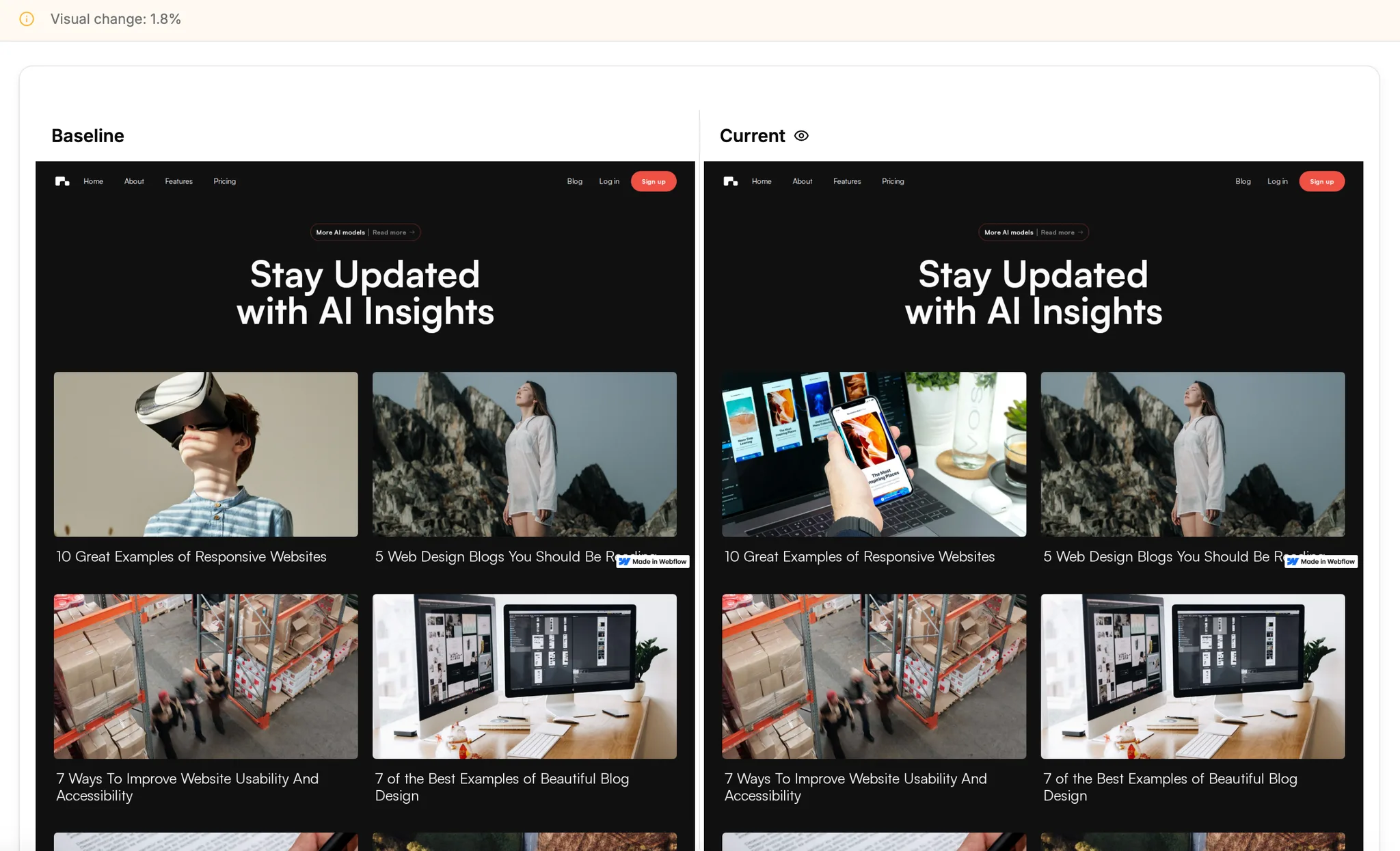
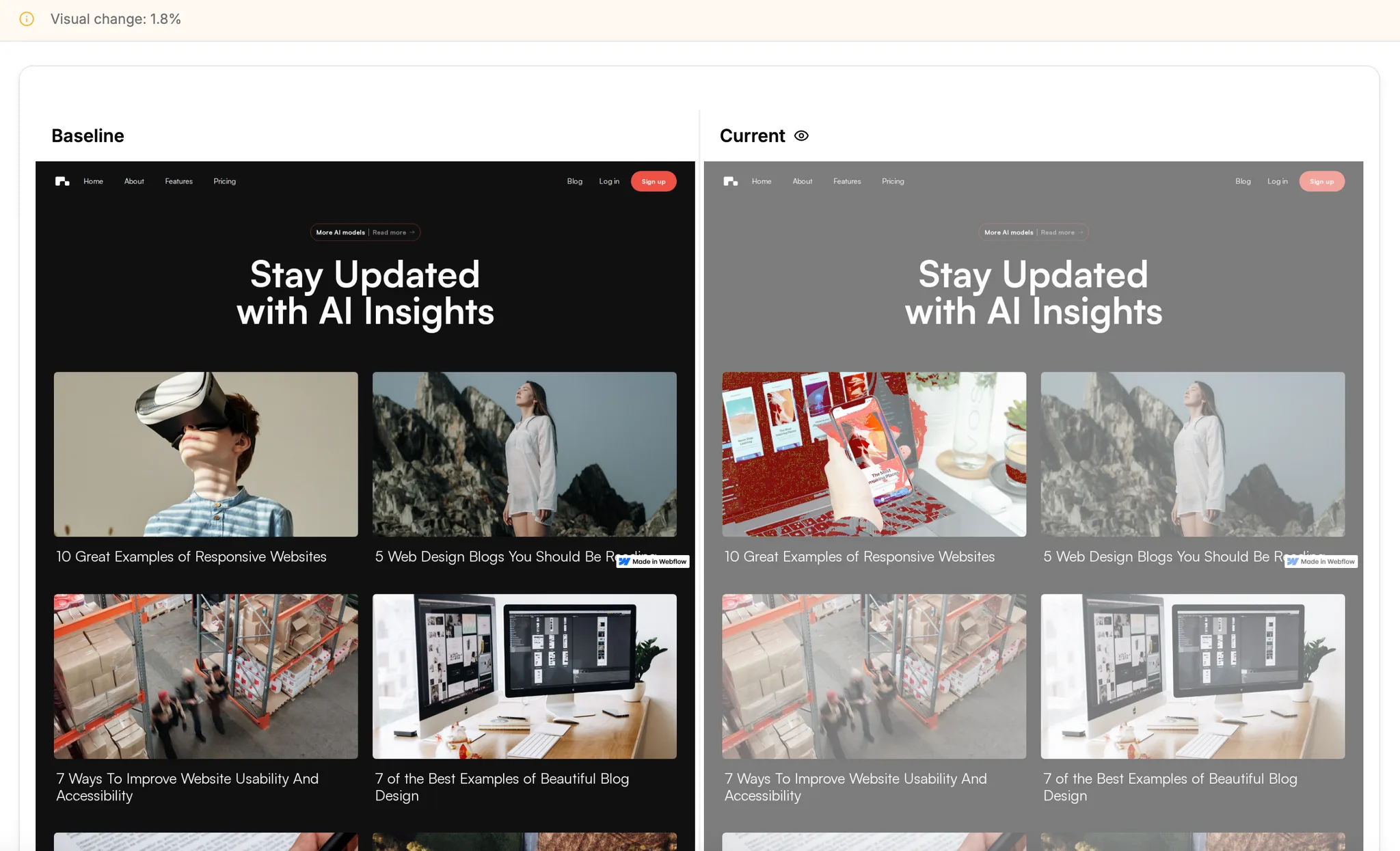
Webflow makes publishing easy. Knowing what changed is harder.
One change, fifty pages affected
Global styles, components, and CMS collections mean a single edit can ripple across your entire site in ways you don't expect.
Hard to see everything that actually changed.
Manual spot-checking leaves gaps. After every publish, most Webflow teams manually click through pages hoping nothing broke.
Staging looks fine. Production is different.
Staging and production environments don't always match. By the time you notice, visitors already have.
There's a better way.
Know what changed on your Webflow site.
Every update, every time.
Simple. Repeatable. Every Webflow update.
Paste your URL. Sitepager captures the rest.
Capture your baseline
Enter your Webflow URL. Sitepager captures every page as your baseline. It also catches broken links, SEO gaps, and performance issues.
Make your changes
Update your site as normal — global styles, CMS updates, new pages, template changes.
See what changed
Compare against your baseline. Visual changes, new pages, broken links, SEO issues — all in one run.
Connect your Webflow site once.
Then Sitepager runs itself.
No pipeline, no plugin. Just your Webflow site.
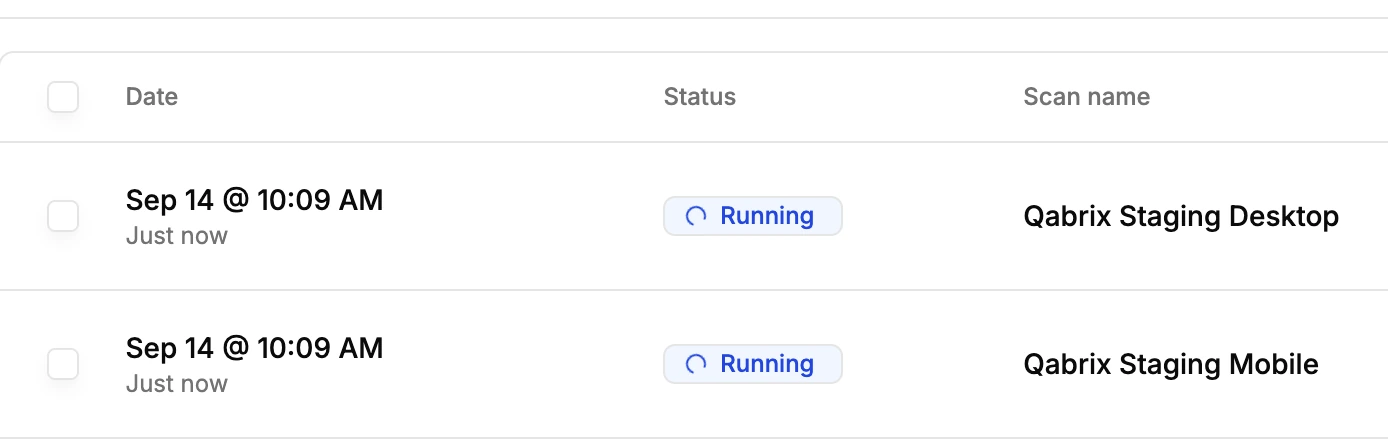
- Pick which scans run for staging and production.
- After every publish, Sitepager starts them automatically.
- Get an alert when the report is ready for your team to review.

Your whole Webflow site, reviewed in one run
Visual changes, broken links, SEO gaps, and performance issues, reviewed together.
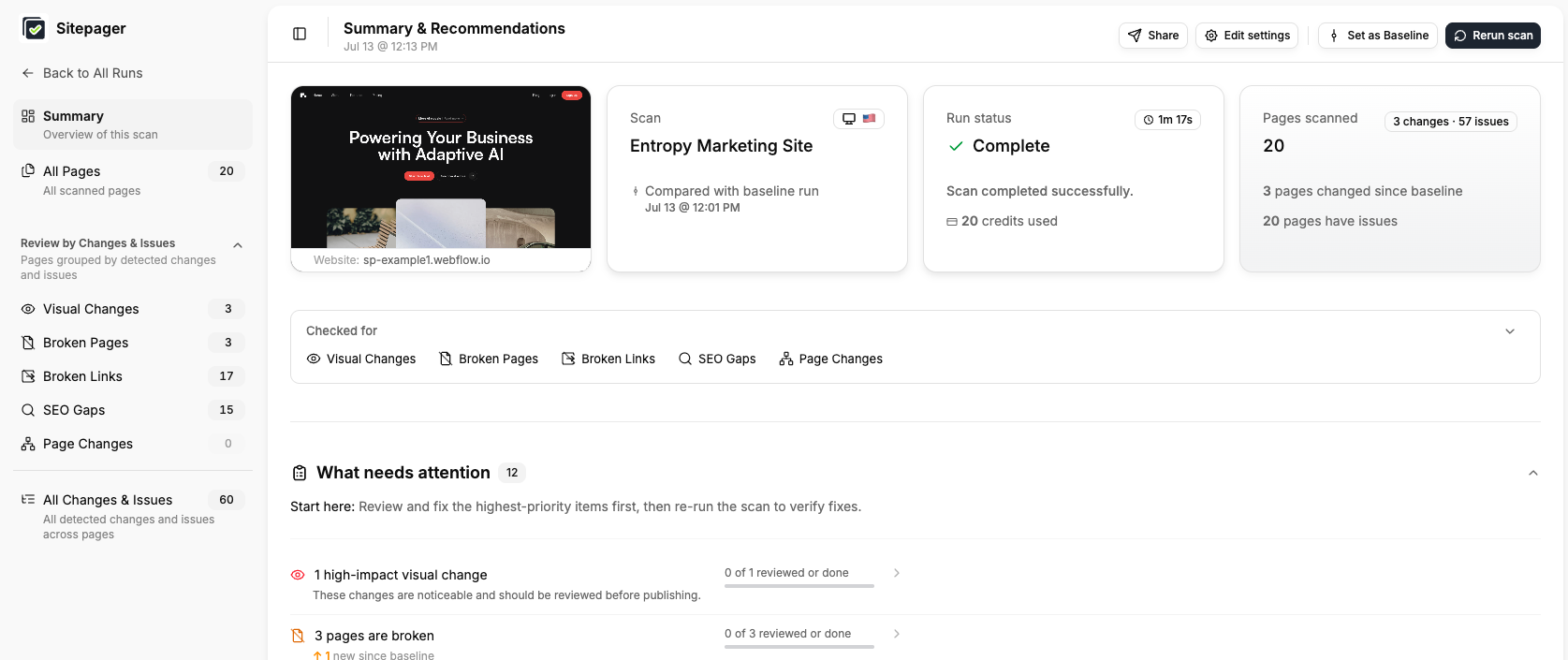
Everything your team checks, in one place.
One workflow. One run. Nothing slips through.
Visual change detection
See exactly what changed across every page since your last update — layout shifts, style changes, broken elements.
Staging vs production comparison
Compare staging and production side by side. Know exactly what's different before you publish.
Multi-language validation
Check your site from 30+ regions. See what visitors in each location actually see.
Interactive element checks
Capture hover states, click interactions, dropdowns, and modals — automatically.
CMS collection checks
Run targeted checks on blogs, portfolios, and catalogs built in Webflow CMS.
New & removed page detection
Know instantly when pages are added, removed, or go missing after a CMS update.
Not just the page you edited.
Catch it before you publish.
Broken links, SEO gaps, and missing pages.
Built for teams shipping high-impact Webflow websites.
Whether you're a designer, marketer, agency, or enterprise — Sitepager fits how you work.
Designers & Creators
Catch unintentional style changes before they go live. Check layouts, hover states, and interactions automatically.
Marketers & Site Owners
Publish Webflow updates with confidence. Catch broken links, missing SEO tags, and visual issues before they impact visitors.
Agencies
Deliver consistent quality across every client site with a repeatable Webflow QA process your whole team can follow.
Enterprise Teams
Handle complex Webflow platforms with thousands of pages, multiple environments, and language versions.
What marketing teams say about Sitepager
“Sitepager is useful for things that are easy to gloss over when you’re manually clicking through the site, especially when we make changes to the design system that end up affecting pages or components we didn’t realize were connected. Those are exactly the kinds of issues that can take a long time to find manually.”
Maggie Veltri
Content
Publish with proof, not hope.
A full Webflow review in minutes - every page, not just the one you edited.
No credit card. No code.