Update your website fast with AI. Verify with Sitepager.
AI can change more than the page you edited. Sitepager checks every page before you publish — so nothing goes live broken, missing, or unreviewed.
No code. No plugins. Works with any website built or updated with AI.
AI makes updating your site easy. Knowing what changed is harder.
Something changed that you didn't expect
A link disappeared. A section shifted. A page looks different from what you intended.
Something didn't change that you asked for
You gave a clear instruction. It looked done. Then you open the page and realize the change is incomplete, or only applied in one place.
One quick look is not enough
The page you checked looks right. The issue is usually on the page you did not open, the mobile version you did not review, or the link you did not click.
There's a better way.
Know exactly what changed before you publish.
Simple. Repeatable. Before every publish.
Capture your baseline
Enter your URL. Sitepager scans your site and saves the first version as your baseline.
Update your site with AI
Make your changes using Claude, Cursor, or your favorite AI tool.
See what changed.
Compare against your baseline and see visual changes, new pages, and broken elements in one run. Fix what needs fixing, then publish with confidence.
See exactly what changed
Compare versions and review every visual change before it goes live.
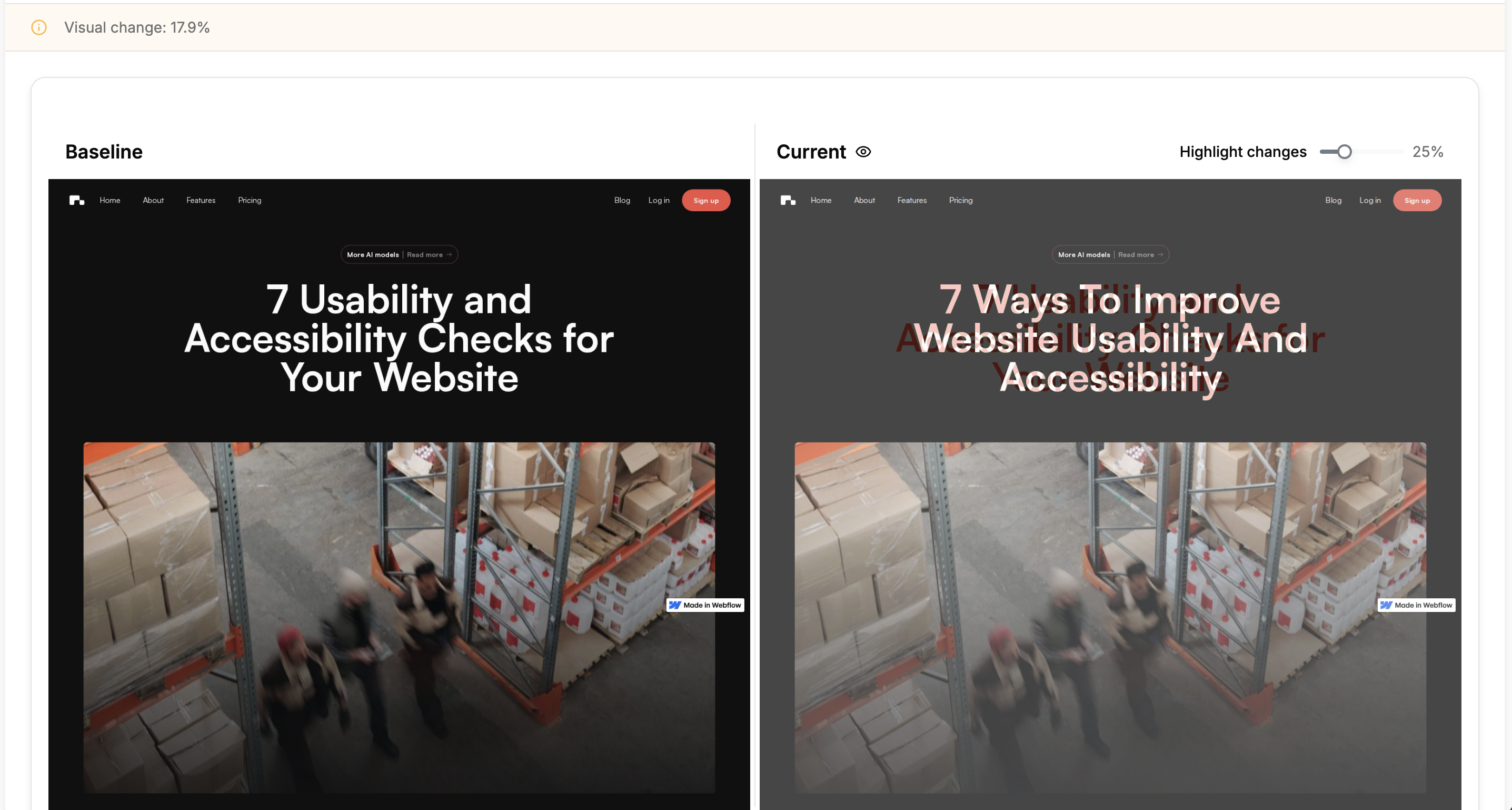
Keep your AI workflow. Add a real review step.
Connect Sitepager to Claude, Cursor, Windsurf, or any MCP-compatible assistant. Run scans, review issues, and verify fixes before you publish.
Everything Sitepager checks before you publish
One workflow. One run. Nothing slips through.
Visual changes
See exactly what changed across every page since your last update, including layout shifts, style changes, and broken elements.
Added or missing pages
Know when pages are added, removed, or restructured after an AI update.
Broken link & page checks
Find broken internal and external links, plus the pages where they appear.
SEO & performance health
Catch missing meta tags, alt text, heading issues, and performance gaps before they go live.
Staging vs live differences
Compare your preview or staging site against production before pushing changes live.
Interactive element checks
Check hover states, click interactions, dropdowns, and modals automatically.
Across marketing websites and every update cycle.
Desktop, mobile, hover, and click states.
Across global sites and regional layouts.
Built for teams responsible for high-impact websites.
When your website affects signups, revenue, trust, or SEO, small issues matter. Sitepager helps teams catch them before they go live.
For marketing teams
Check pages, links, and SEO issues before website changes go live.
For designers
Review visual changes across desktop, mobile, and pages you did not manually open.
For agencies
Add a repeatable review step before client handoff or launch.
For founders
Move fast with AI without relying on manual spot checks.
"I use AI to update the Sitepager website. Every now and then, a link changes, a page looks different, or something I asked for is only partly done. Sitepager gives me a quick review before I publish. In two minutes, I know whether something is broken, missing, or changed unexpectedly."
— SK, Founder, Sitepager
Publish website updates with confidence
Run Sitepager before every publish and check what AI actually changed.
No credit card required. No code or plugins needed.
AI website testing questions
You can also run Lighthouse audits for performance, accessibility, SEO, and best practices.